How to Plan a Headshot Session for Your NYC Team
Tips for a Smooth Shoot, Happy Team, and Great Photos
1. Team Headshots Don’t Have to Be a Hassle
If you’re planning team headshots for your office, it might feel like a lot. Schedules, space, what to wear, emails… it adds up fast. But it doesn’t have to be stressful.
With a little prep, headshot day can actually go pretty smooth. It can even be fun. (Yes, really.)
Whether you’re updating your company website, onboarding new hires, or giving your team a fresh look on LinkedIn, this guide will help you plan it all.
We’ll walk through what to do before, during, and after the shoot. You’ll learn how to prep your team, what timeline makes sense, and how to make the whole thing feel easy.
2. Start With the Why
Before you start booking times or picking outfits, get clear on your goal. Why are you doing this shoot?
Your answer will help shape the whole session — the background, the lighting, the vibe, and the pacing.
Here are a few common reasons teams book headshots:
- New hires or team growth
- A company rebrand
- Press or PR needs
- LinkedIn or team bios needing a refresh
- Just time for an update (your current photos look 5 years old)
If it’s just one or two people, the shoot may be quick. If it’s your whole company, we’ll need to map things out a bit more.
Photographer tip: When I know your goals ahead of time, I can help you plan everything around them — from setup to delivery.
3. Pick the Right Setup
There are a few ways to run a team headshot session. The best setup depends on your space, your people, and your goals.
Let’s look at two solid options:
In-Office Studio Setup
I bring my lights, camera, and backdrop to your office. Your team stays on-site, which saves time and keeps things simple.
Good for:
- Busy teams
- Larger headcounts
- Quick, no-fuss sessions
Things to check:
- Is there a quiet, open area we can use?
- Do we need to move furniture or block off part of a room?
- Can I set up without disrupting your team’s day?
Environmental Headshots
We use your office background or an outdoor space near your location. These photos can feel more relaxed and less formal.
Good for:
- Showing off your office space
- Teams in creative, design, or startup settings
Keep in mind: this option may cost more as I will need to move setups often to vary the background and If you move offices later, matching past images may not be possible.
Photographer tip: Not sure what to pick? I’ve worked in all kinds of spaces across New York City. If you tell me a bit about your team and your space, I can help you choose what fits best your branding needs.
4. Build a Timeline That Works for Your Team
Once you know your setup, it’s time to build your schedule. A clear plan helps the day stay on track and stress-free.
When to Book
Try to schedule the shoot at least 2 to 3 weeks in advance or more. This gives you time to prepare your team and avoid last-minute stress.
How Long It Takes
Most sessions run about 5 to 10 minutes per person. I guide each person through it, so they don’t have to figure it out on their own.
Here’s an example timeline for a team of 15:
- 15 people × 10 minutes = 2.5 hours
- Add 45 minutes for setup
- Add a 15-minute break in the middle
- Add 45 minutes for breakdown and departure
- Total time: about 4 hours and 15 minutes
High-Volume Options
If you have a large team or limited time, we can adjust the pace. I offer high-volume sessions that keep time per person to around 3–5 minutes.
These are best for:
- Teams with 30+ people
- Events or conference days
- Tight timelines or limited space
You still get clean, professional results. We just move through the lineup a little faster.
Best Time of Day
Mid-morning usually works best. People feel more awake and ready. It’s early enough that the day hasn’t gotten too busy, but not so early that everyone’s rushing in.
Photographer tip: I’ll keep things running on time. If someone is late or needs a few extra minutes, I’ll make sure they’re taken care of without slowing the session down.
5. Prep Your Team the Right Way
The better your team is prepared, the better the photos will turn out. A simple email with clear info goes a long way.
What to Wear
- Keep it clean, simple, and sharp:
- Solid colors
- No big logos or bold prints
- Neat collars, no wrinkled shirts
- Glasses? Wear them if you usually do
- If your team is client-facing or public-facing, aim for a consistent style. This doesn’t mean uniforms — just a similar level of polish.
What Not to Wear
- Neon or very bright colors
- Distracting jewelry or patterns
- Busy prints that draw focus
- Hoodies or workout gear
What to Include in Your Team Email
Send one group message a few days before the shoot. Include:
- The date, time, and place
- What to wear (and what not to)
- A reminder to come rested and well-groomed
- Contact info in case someone has questions
Photographer tip: Don't worry: I'll send you info tailored to your unique shoot so you can send it out in the week before the session.
6. Shoot Day — What to Expect
On shoot day, I’ll arrive early to set up and walk through the space. I’ll check the lighting, make sure everything’s in the right spot, and keep things quiet and simple.
What It Feels Like
Each person gets a few minutes to settle in. No one is rushed. No one is expected to “know how to pose.” I’ll guide them through small steps that feel easy and natural.
Most people are done in under 10 minutes (we can always make this shorter is we need to). The vibe is calm, friendly, and relaxed — even for folks who hate being in front of a camera.
What I Handle
- Camera setup and lighting
- Backdrop and gear placement
- Light posing and direction
- Keeping the session moving on time
What You Handle
- Making sure your team knows where to go and when
- Giving people space to take a breath before their turn
- Letting me know if anyone has special needs or requests
Note: To stay on schedule, each person should stick to one outfit or “look.” If someone needs extra time or a second outfit, let me know in advance so we can plan for it.
Photographer tip: I’ve worked with teams of all sizes. Most people walk away saying, “That was way easier than I expected.” That’s the goal.
7. After the Shoot
Once the shoot wraps, I’ll handle everything from sorting images to sending you the final files.
What Happens Next
- You’ll get an online gallery of proof images to review
- Final selections are retouched and delivered in high-res and web sizes in the same gallery
Image Selection Options
You have four ways to choose final images for retouching:
- On-Site Selection with the Photographer
- We review images right after each person is photographed
- Requires 10 minutes(minimum) per team member
- Best for when fast turnaround is needed
- Group Gallery – One Point Person Selects
- Your team lead selects images from the full gallery
- Quick, simple, and keeps control in one place
- Group Gallery – Each Team Member Selects
- Everyone on your team gets a link to the full gallery
- Each person selects their own final image(s) for retouching
- Premium Individual Galleries
- Each team member receives a private gallery
- They can make their selections on their own time
- Great for teams that want a personalized experience
Let me know which works best — I’ll set it up so it’s easy for you and your team.
Turnaround Time
- Most proof galleries are ready within 3 to 5 business days.
- Retouched images are returned in 3 to 7 business days, with an average of 4 to 5 days.
What’s Included in Retouching
I keep it clean and natural. Retouching covers:
- Skin smoothing
- Light blemish removal
- Teeth whitening (if needed)
- Flyaway cleanup
Nothing overdone. Just a polished, professional version of how your team looks on a good day.
8. FAQs
What if someone misses the shoot?
No problem. I can return for a short follow-up session or schedule them separately. Just let me know ahead of time so we can plan.
Can we book a makeup day for new hires?
Yes. Many teams do this every few months to keep photos up to date. We can talk about an ongoing plan if that’s helpful.
How many images does each person get?
Most teams choose one final retouched image per person. More can be added if needed.
Can we do group shots too?
Yes. If time and space allow, we can add group portraits. Just make sure it’s included in the plan so we can build it into the timeline.
What if someone is nervous or hates photos?
Happens all the time. I’ll talk them through it, help them feel at ease, and keep the vibe low-pressure. Most people are surprised by how comfortable it feels.
Do we need hair and Makeup?
Most teams decide against hair and makeup as it can slow down the shoot quite a bit. Each Hair and makeup session cab take more time than the headshot session itself so we really have to spread the day out. That being said, I have a wonderful hair and make up team that I'm happy to set up for you. Often smaller teams of execs will take advantage of this option.
9. How Much Are Team Headshots?
Every team is different. Pricing depends on how many people you have, how long the session runs, and what kind of setup we’re working with.
I keep the process clear and simple. No hidden fees or confusing options. You’ll get a custom quote based on your needs.
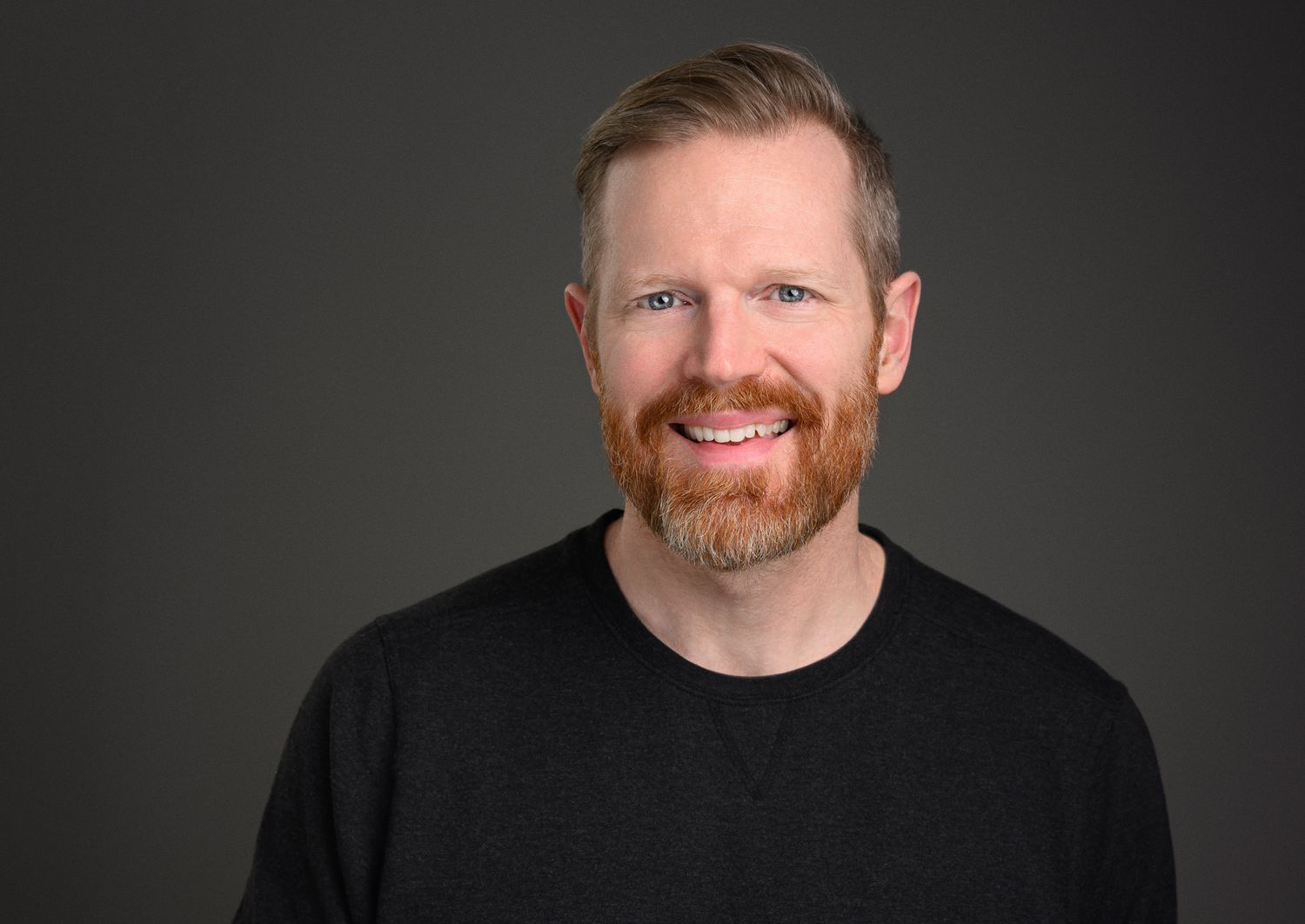
My name is Matt Stokes.
I was a Broadway actor. I understand the importance of a great Headshot in New York City. It was my first impression to the people that might hire me on a daily basis.
If you're interested in hearing about the impact cohesive, brand-specific team headshots can have on your business, please fill out the form below and I'll get back to you within a day.
Lets Talk Headshots
Professional team headshots are one of the most underrated investments your company can make. They are proven to drive better website conversions, elevate professional credibility, support strong employer branding and serve as long-lasting assets across all platforms.
Whether you need 3 executive portrait sessions or are looking to do a complete rebrand for 1000+ employees, I’m here for your NYC team headshots.
I’m here to understand your goals and deliver team headshots that truly support your brand and culture.
